新版 DirectX 12 不應在執行期間切換 Swap Chain 的多重取樣設定。較穩定的做法是建立獨立的多樣本 Render Target 與 Depth Stencil,使用相同 Sample Count 的 Pipeline State,完成繪製後再把結果 Resolve 到一般的 Back Buffer。
- 建立
SampleDesc.Count = 4的 MSAA Color Resource 與 RTV - 建立相同 Sample Count 的 Depth Resource 與
TEXTURE2DMSDSV - 建立 MSAA 專用 PSO,RTV/DSV Format 必須與資源一致
- 繪製前把 MSAA Color Resource 轉成
RENDER_TARGET - 繪製後轉成
RESOLVE_SOURCE,把 Back Buffer 轉成RESOLVE_DEST,呼叫ResolveSubresource() - 把 Back Buffer 轉回
PRESENT後顯示
所有資源狀態、Format、Sample Count 與 Sample Quality 都必須配對;硬體支援的 Quality 應先透過 API 查詢。
新版 DirectX 12 不应在运行时切换 Swap Chain 的多重采样设置。更稳定的做法是创建独立的多采样 Render Target 和 Depth Stencil,使用相同 Sample Count 的 Pipeline State,绘制完成后再把结果 Resolve 到普通 Back Buffer。
- 创建
SampleDesc.Count = 4的 MSAA Color Resource 与 RTV - 创建相同 Sample Count 的 Depth Resource 与
TEXTURE2DMSDSV - 创建 MSAA 专用 PSO,RTV/DSV Format 必须与资源一致
- 绘制前把 Color Resource 转换为
RENDER_TARGET - 绘制后转换为
RESOLVE_SOURCE,把 Back Buffer 转换为RESOLVE_DEST,调用ResolveSubresource() - 把 Back Buffer 转回
PRESENT后显示
资源状态、Format、Sample Count 和 Sample Quality 必须完全匹配;Quality 应先通过 API 查询硬件支持情况。
Modern DirectX 12 code should not toggle multisampling on the Swap Chain at runtime. Instead, render into separate multisampled Color and Depth resources with a matching Pipeline State, then resolve the result into the normal Back Buffer.
- Create an MSAA Color Resource and RTV with
SampleDesc.Count = 4 - Create a Depth Resource and
TEXTURE2DMSDSV with the same sample count - Create a matching MSAA PSO; the RTV and DSV formats must match the resources
- Transition the Color Resource to
RENDER_TARGETand draw - Transition it to
RESOLVE_SOURCE, transition the Back Buffer toRESOLVE_DEST, and callResolveSubresource() - Transition the Back Buffer to
PRESENTand display it
Resource states, formats, sample counts, and sample quality must agree. Query the supported quality level before creating the resources.
現在の DirectX 12 では、実行中に Swap Chain のマルチサンプル設定を切り替えるべきではありません。代わりに、同じ Sample Count を持つ Color/Depth Resource と Pipeline State を用意し、描画後に通常の Back Buffer へ Resolve します。
SampleDesc.Count = 4の MSAA Color Resource と RTV を作成します- 同じ Sample Count の Depth Resource と
TEXTURE2DMSDSV を作成します - Format が Resource と一致する MSAA 用 PSO を作成します
- Color Resource を
RENDER_TARGETへ遷移して描画します RESOLVE_SOURCEへ遷移し、Back Buffer をRESOLVE_DESTにしてResolveSubresource()を呼びます- Back Buffer を
PRESENTに戻して表示します
Resource State、Format、Sample Count、Sample Quality はすべて一致させ、Quality は事前に API で対応状況を確認します。
1 | // 繪製到多重取樣 Render Target |
| 原始畫面 | 4x MSAA |
|---|---|
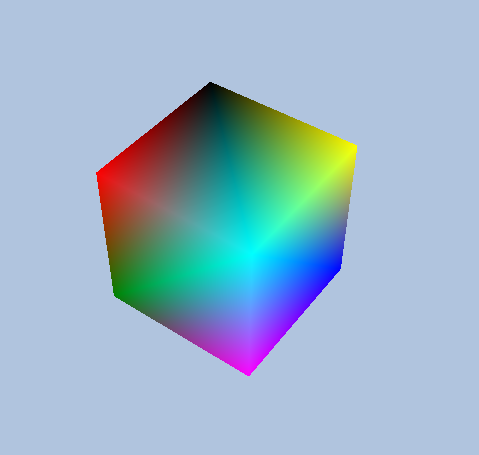 |
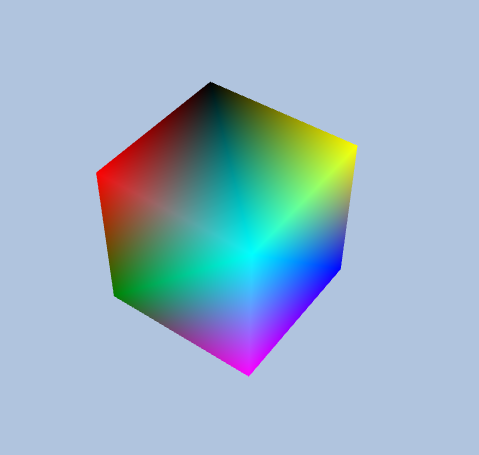 |
1 | // 绘制到多采样 Render Target |
| 原始画面 | 4x MSAA |
|---|---|
|
|
1 | // Draw into the multisampled render target |
| Original | 4x MSAA |
|---|---|
|
|
1 | // マルチサンプル Render Target へ描画する |
| 元画像 | 4x MSAA |
|---|---|
|
|